
ClickSend SMS For Zoho CRM
Send bulk SMS via ClickSend directly from Zoho CRM Leads, Contacts, Accounts, and Deals — with templates, merge fields, and automatic activity logging.
This is a Zoho CRM extension that lets users send bulk SMS via ClickSend from Leads, Contacts, Accounts, and Deals. It uses:
- Frontend: React, React Bootstrap, Material-UI icons
- Backend: PHP that calls the ClickSend REST API
- Zoho: ZohoEmbededAppSDK for embedding in Zoho CRM
This extension works within the Zoho CRM Leads, Contacts, Accounts, and Deals modules. It retrieves record details and phone numbers, allows users to select a predefined template or compose a custom message, and sends SMS messages through the ClickSend account integration. Additionally, all SMS activities are logged automatically into a custom module within Zoho CRM.
Prerequisites
-
Zoho CRM Account: If you do not already have an account, please sign up using the link below.
- For USA Domain
- For EU Domain
- ClickSend Account: If you don't have an account, click here to create one.
About this version
- Fully compatible with Leads, Contacts, Accounts, and Deals modules for unified attachment management.
- Works seamlessly in List View and Individual record Detail View.
- Designed with a responsive UI to ensure smooth usability across devices and screen sizes.
Features
- Bulk SMS: Send to many recipients from Leads, Contacts, or Deals list/detail view.
- View modes: Works in both List View (with selections) and Detail View.
- ClickSend Integration: Uses ClickSend User ID, Username, Sender ID, and API Key.
-
Templates: Predefined templates from
clicksendsmsforzohocrm2__ClickSend_SMS_Templates. -
Merge fields: Template placeholders like
#First_Name,#Last_Namefor personalization. - Configurable phone fields: Choose which field holds the phone number per module (Leads, Contacts, Deals).
-
SMS activity logging: Inserts records into Zoho Custom Module 2
(
twiliosms16__*) for each sent SMS. - Settings modal: Store and update ClickSend credentials and phone field mapping.
Scopes
Frontend (Zoho)
Needs Zoho CRM scopes for:
- Read/update org variables
- Read Leads, Contacts, Deals
- Read custom module
clicksendsmsforzohocrm2__ClickSend_SMS_Templates - Insert into custom module
CustomModule2(SMS activity)
Backend (ClickSend)
- ClickSend API (Basic Auth with username and API key)
Backend (optional)
- Bitly API token for shortening URLs in queued messages
How to Install
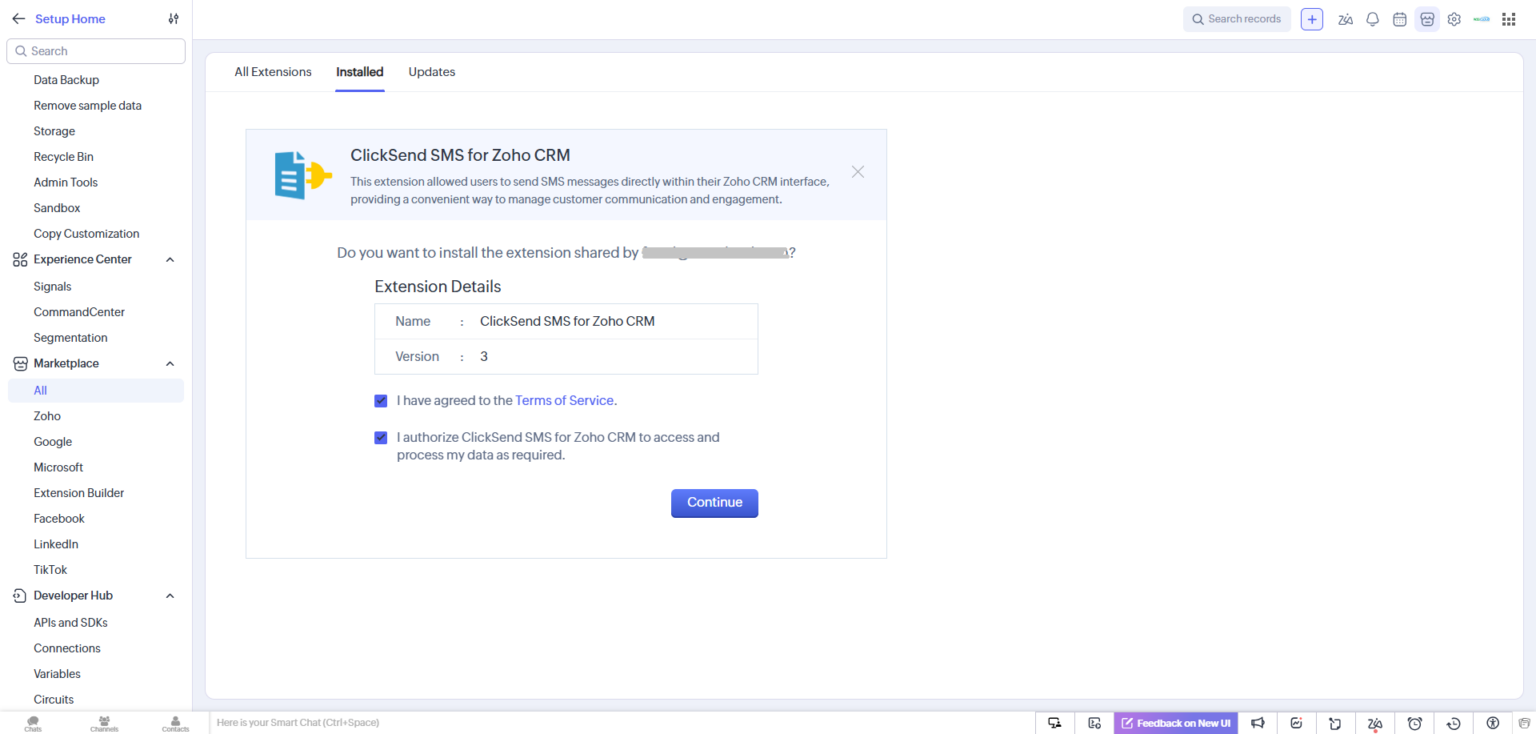
Agree to the terms and conditions, then click "Continue" button.
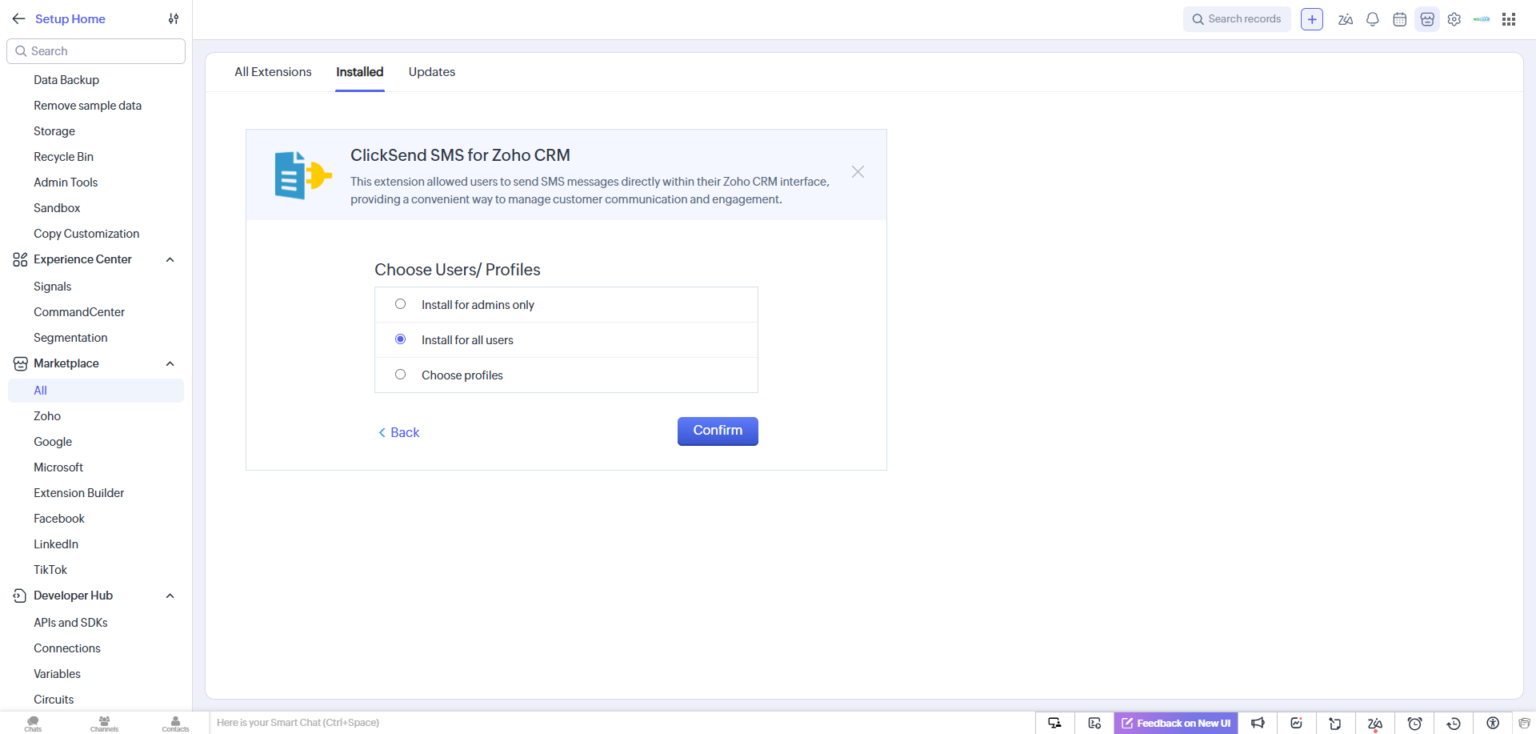
Now choose users/profiles and click on "Confirm" button.
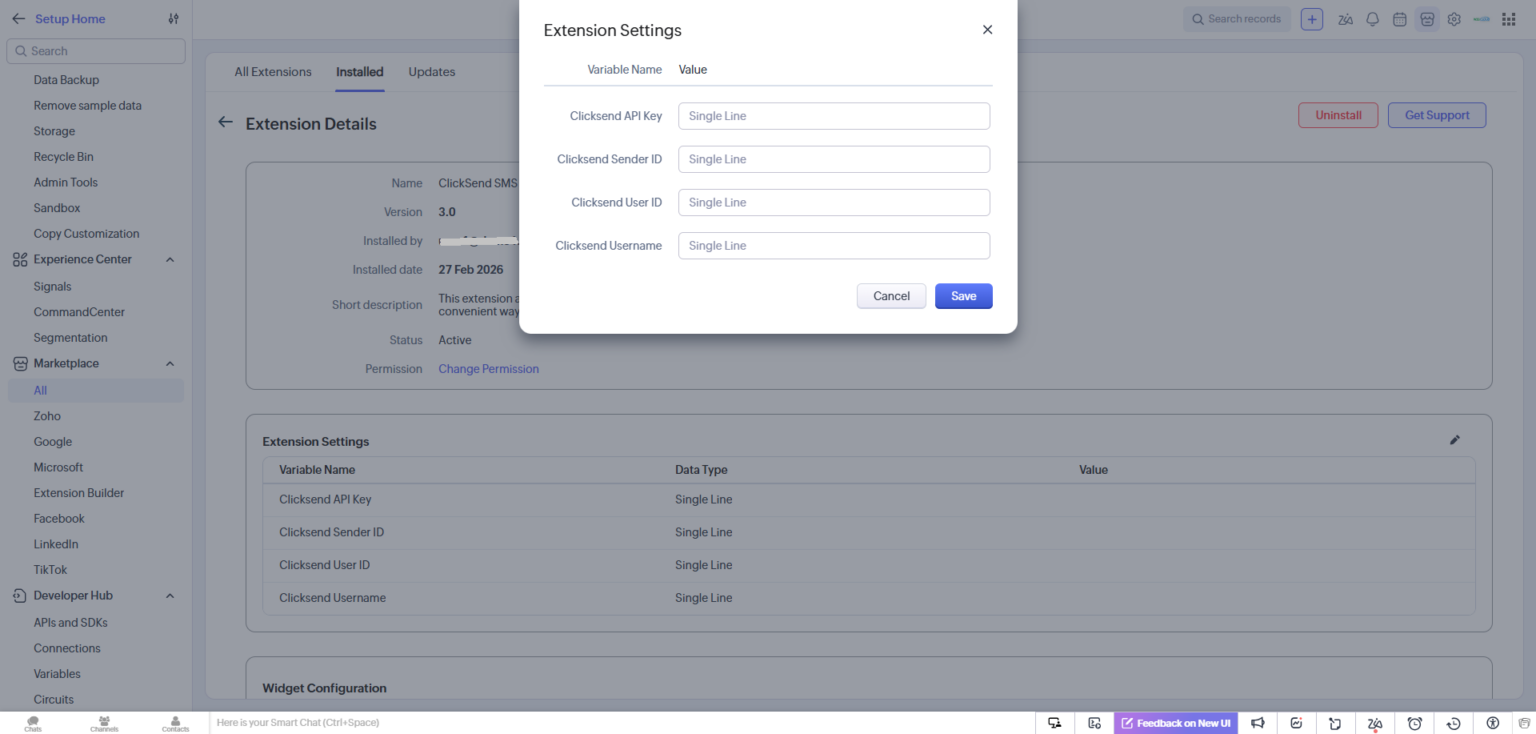
Installation is complete, and the extension details are now displayed. No additional configuration is required. You can now check the extension functions in the Leads, Contacts, Accounts, and Deals modules.
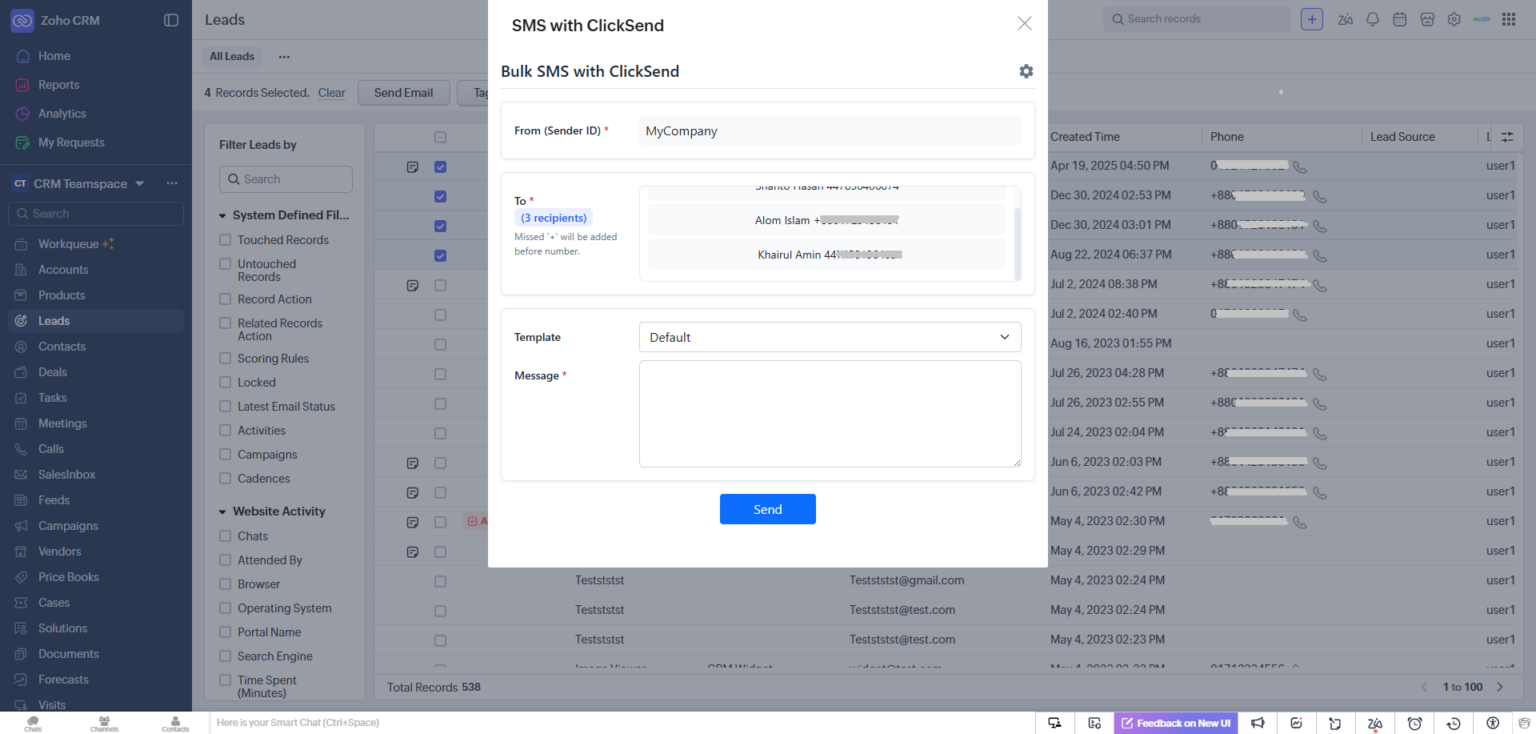
After installation, the extension is ready to use. Navigate to the modules — Leads, Contacts, Accounts, and Deals — and click the "SMS with ClickSend" button to access it.
How to use
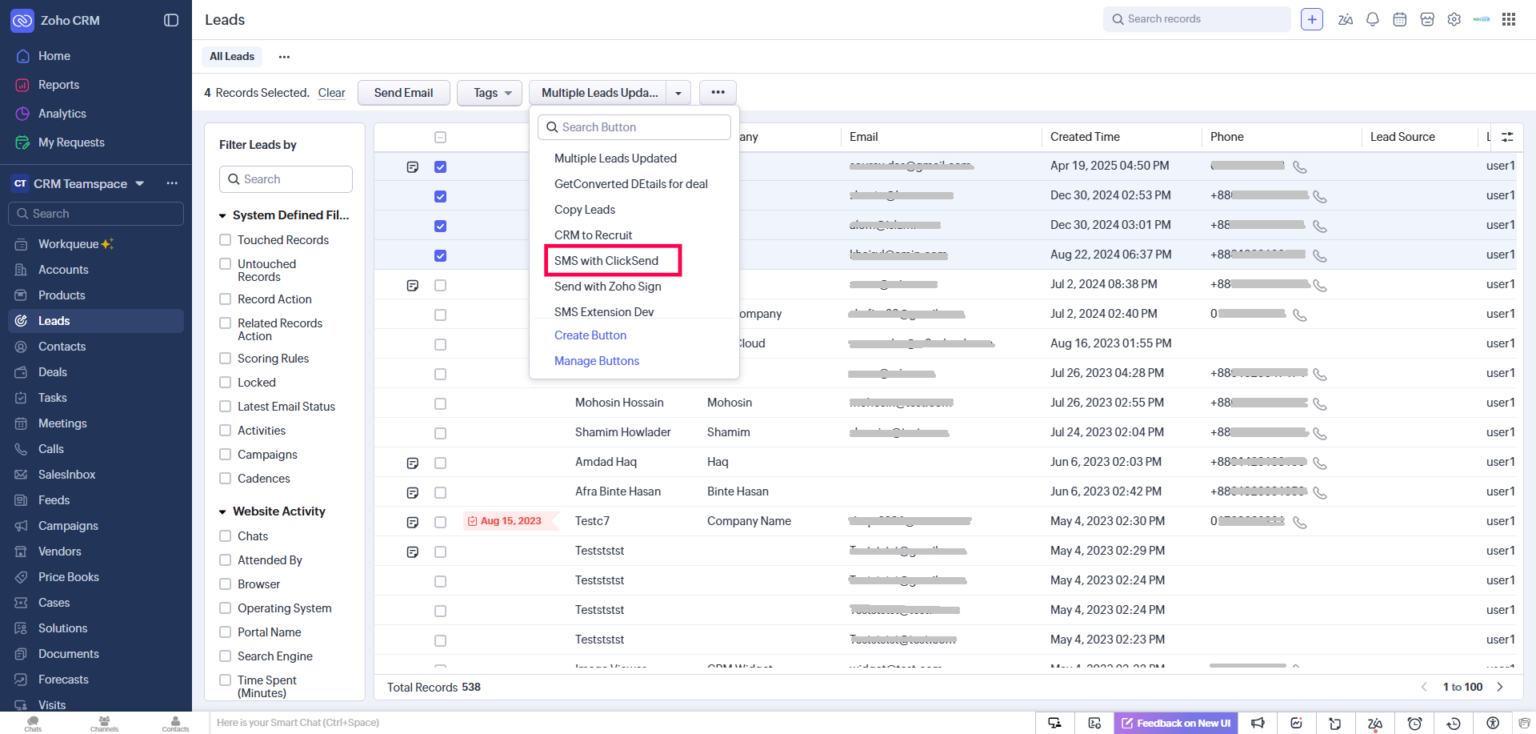
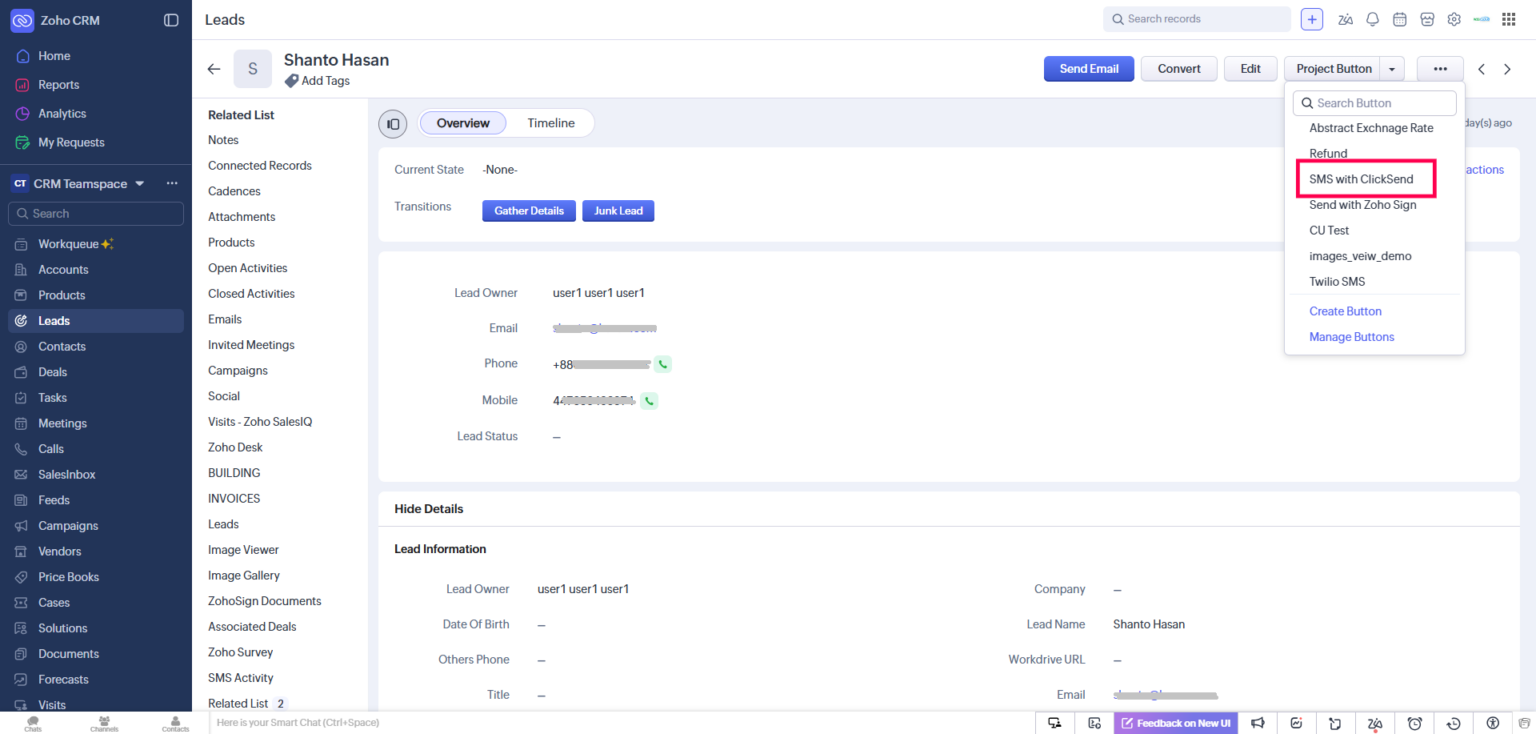
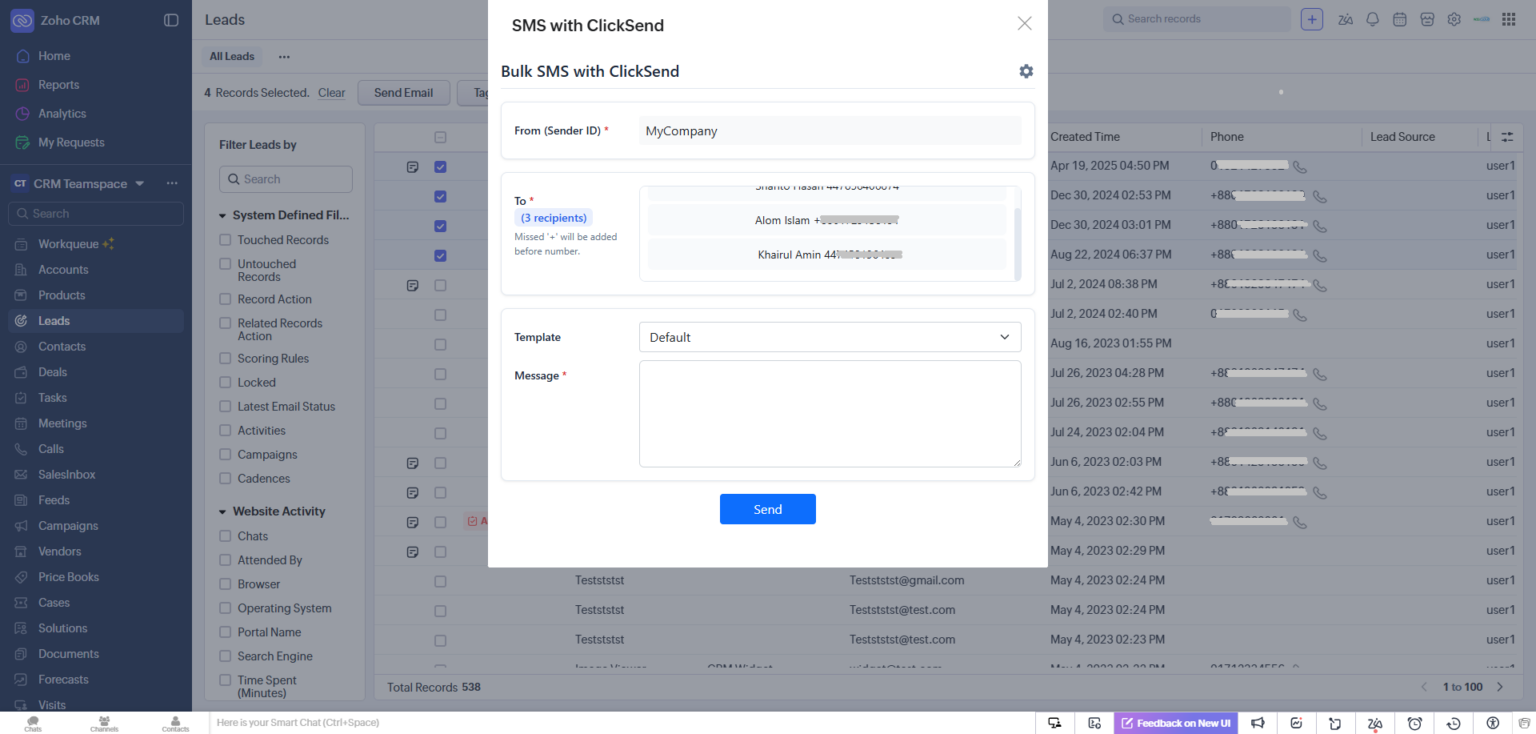
After successfully installing the extension go to the module and find the button named "SMS with ClickSend" from Mass Action Button in List view or record Detail page.
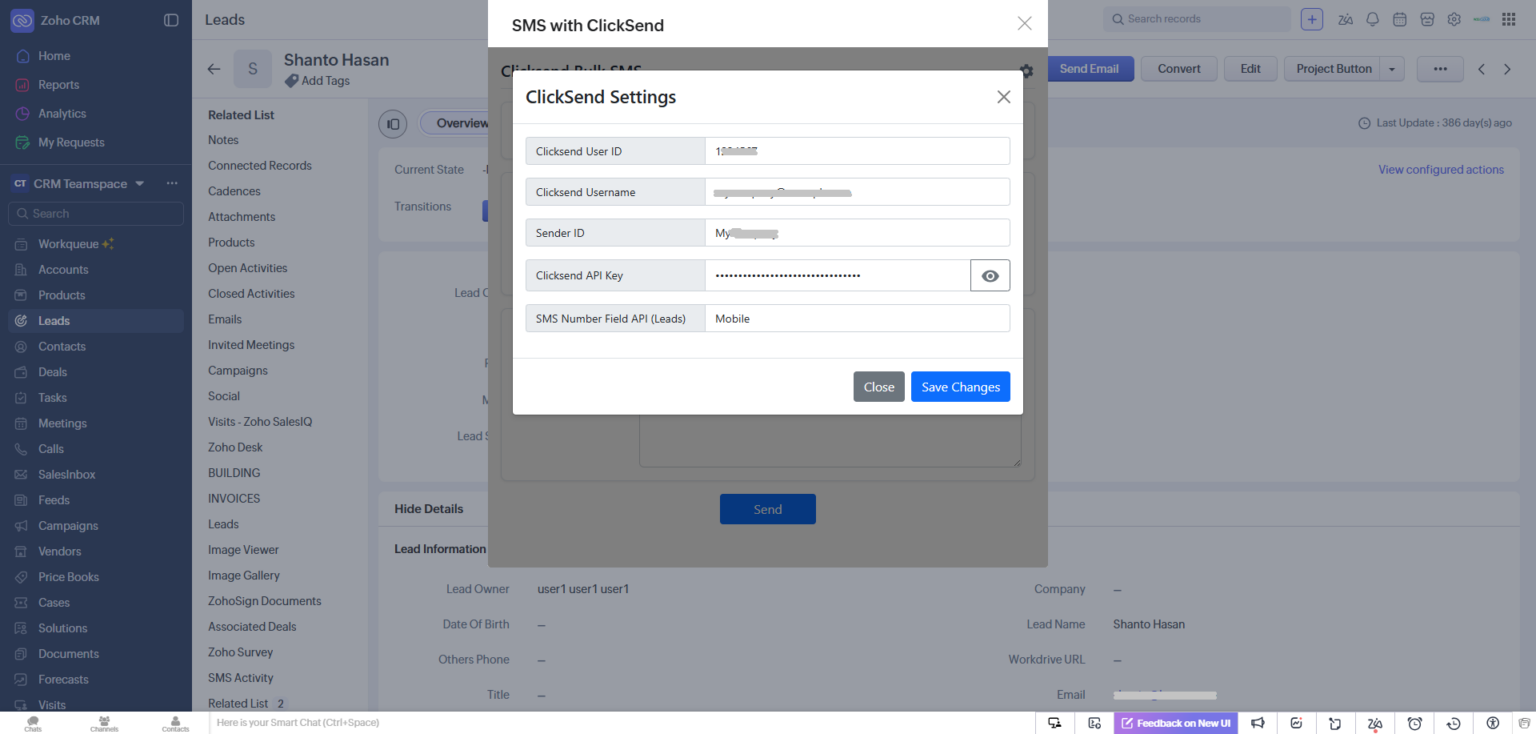
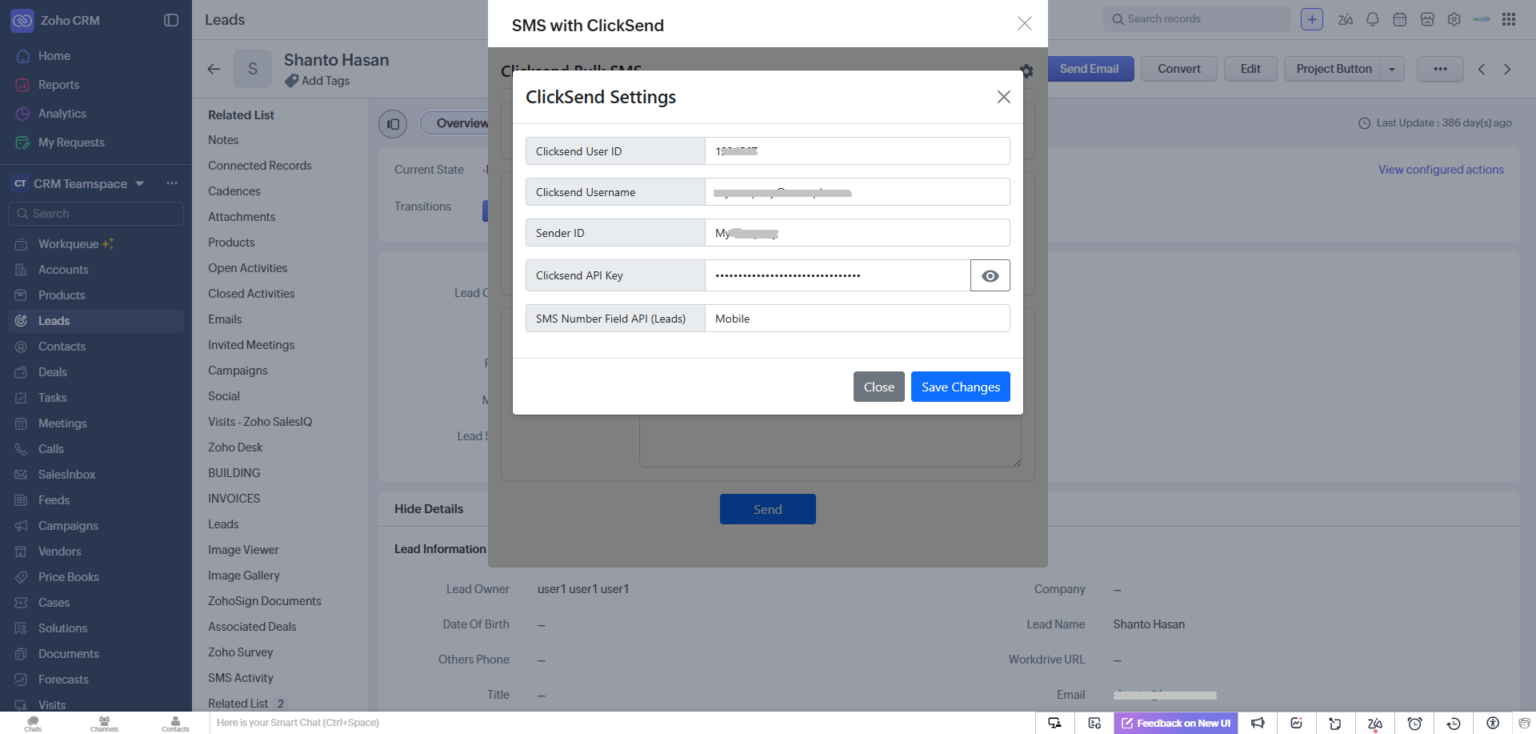
You will be required to provide the ClickSend details:
- ClickSend User ID
- ClickSend Username
- Sender ID (alpha tag or phone number)
- ClickSend API Key
If any data is missing provide it by clicking the "Settings" icon.
After providing all of the required ClickSend information, the extension will be ready to use. You can now send SMS by selecting predefined SMS Template or writing the message — individually or in bulk — from both the List View (via the mass action button) and the Detail View.
Video Tutorial
For detailed documentation, please visit our documentation page.
Ready to Get Started?
Enhance your Zoho CRM with the ClickSend SMS extension